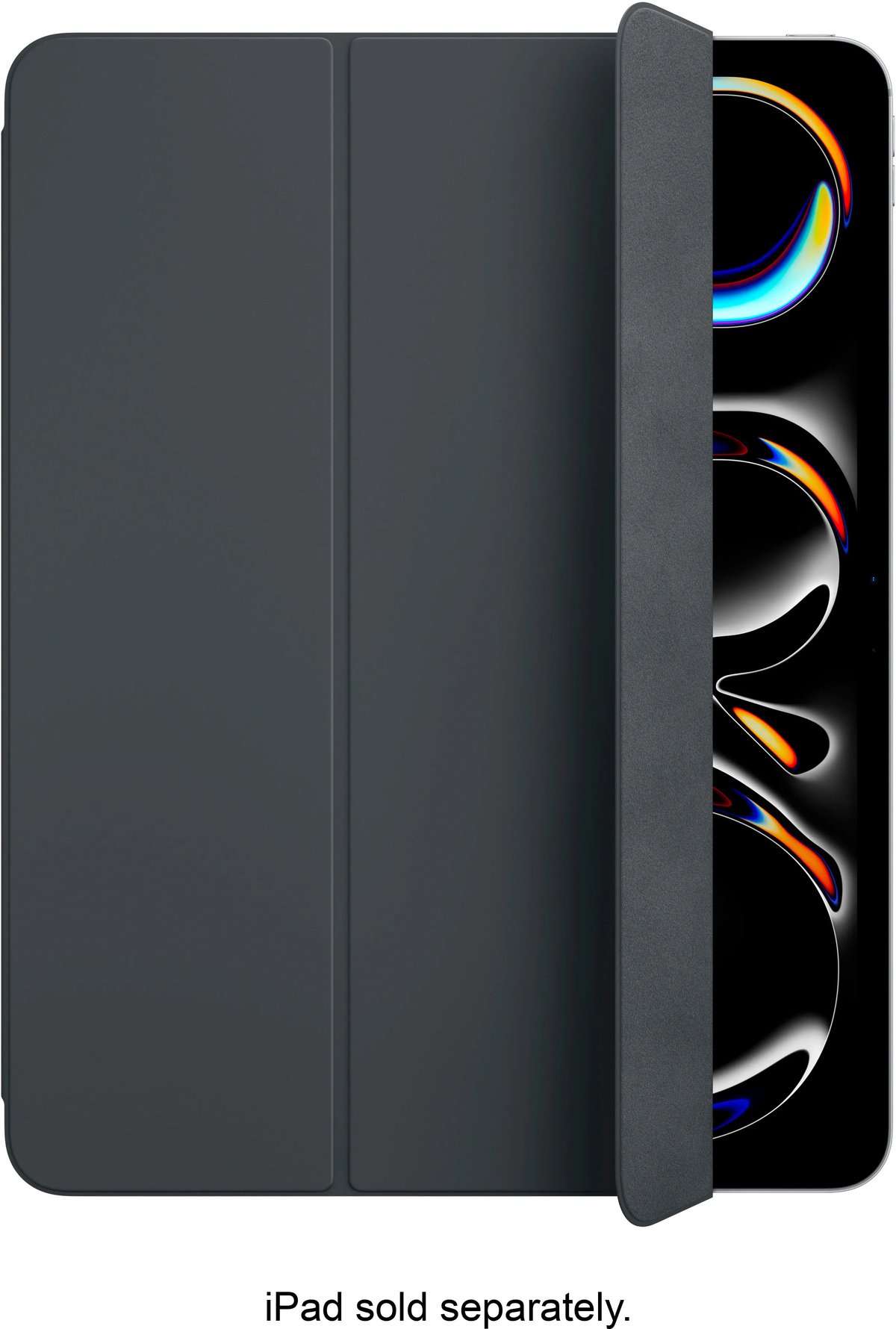
Your iPad 7th Gen is more than just a tablet; it's a portal to productivity, entertainment, and connection. But like any valuable tool, it deserves robust protection and enhanced functionality. That's where Folio & Smart Covers for iPad 7th Gen come in, transforming a vulnerable device into a versatile, protected companion. Choosing the right one isn't just about aesthetics; it's about extending your iPad's life, improving its usability, and ensuring it meets your everyday demands.
For many, the idea of picking an iPad cover feels simple until they dive into the sheer volume of options available. This guide cuts through the noise, offering clear, actionable advice to help you select a cover that truly fits your lifestyle and your 10.2-inch iPad 7th Generation.
At a Glance: Your Quick Cover Checklist
- Perfect Fit is Non-Negotiable: The iPad 7th Gen has a 10.2-inch screen. Cases designed for other models (like the 9.7-inch iPads or larger Pros) won't fit correctly, blocking ports or cameras.
- Smart Covers Offer Front Protection & Stand: Typically magnetic, they wake/sleep your iPad and fold into viewing or typing stands. They leave the back exposed.
- Folio Cases Provide All-Round Security: These cover both the front and back, often with a more secure clasp. Many include Apple Pencil storage.
- Consider Your Lifestyle: Are you a desk-bound user or an adventurer? Your environment dictates the level of protection needed.
- Material Matters: Polyurethane is common and durable; leather offers a premium feel; silicone provides grip and basic shock absorption.
- Functionality Beyond Protection: Look for stable stand angles, auto wake/sleep, and easy access to ports and buttons.
- Apple Pencil (1st Gen) Holders Are Key: If you use a Pencil, integrated storage prevents loss and damage.
Why Your iPad 7th Gen Needs a Guard (More Than You Think)
Let's be honest, an iPad is an investment. Without a proper cover, it's a magnet for scratches, dings, and the dreaded screen crack. From a minor tumble off the couch to the inevitable bumps in a backpack, life happens. A well-chosen cover mitigates these risks, preserving the pristine condition and resale value of your device.
Beyond mere protection, the right cover fundamentally changes how you interact with your iPad. It adds grip, provides stable viewing angles for movies or video calls, and makes typing more comfortable. Think of it as a quality-of-life upgrade that pays dividends over the years.
Decoding the Options: Folio vs. Smart Cover (and Beyond)
The terms "Folio" and "Smart Cover" are often used interchangeably, but there are distinct differences that impact protection and functionality. Understanding these will be your first step in making an informed decision.
The Classic Smart Cover: Elegant Simplicity
Originally an Apple innovation, the "Smart Cover" refers to a specific type of accessory that magnetically attaches to the side of your iPad, covering only the screen. It's known for its lightweight design and clever functionality.
- Key Features:
- Magnetic Attachment: Snaps securely to the side, easy to attach and remove.
- Auto Wake/Sleep: Opening the cover wakes your iPad; closing it puts it to sleep, saving battery.
- Folding Stand: Divides into sections that fold into a triangular stand for both typing and viewing angles.
- Material: Typically polyurethane, sometimes leather.
- Pros: Minimalist design, adds little bulk, excellent for screen protection against scratches, convenient stand.
- Cons: Leaves the back and sides of your iPad completely exposed to drops and impacts. Not ideal for rough environments.
The Versatile Folio Case: Comprehensive Coverage
A "Folio case" typically offers full front and back protection for your iPad. It often encases the entire device, sometimes with a soft interior lining. Many third-party "Smart Covers" are actually folio cases with Smart Cover-like functionality.
- Key Features:
- Full Body Protection: Covers both the screen and the back of your iPad.
- Secure Closure: Often features a magnetic clasp, elastic band, or snap closure to keep the cover shut.
- Stand Functionality: Most offer multi-angle stands for viewing and typing.
- Material Variety: Available in a wide range of materials, including polyurethane, synthetic leather, genuine leather, fabric, and combinations.
- Additional Features: Many include integrated Apple Pencil holders, card slots, or even hand straps.
- Pros: Superior all-around protection from scratches, scuffs, and minor drops. Often includes convenient extras like Pencil holders.
- Cons: Can add more bulk and weight than a simple Smart Cover. May make the iPad feel less "bare."
Beyond the Core: Other Protection Types
While our focus is on folios and smart covers, it's worth briefly touching on other categories you might encounter:
- Rugged Cases: Designed for maximum durability, often featuring multi-layered protection, shock-absorbing materials, and sometimes built-in screen protectors. Great for kids or demanding environments, but add significant bulk.
- Keyboard Cases: Integrate a physical keyboard, transforming your iPad into a laptop-like device. The iPad 7th Gen is compatible with Apple's Smart Keyboard Folio (which uses the Smart Connector) and numerous Bluetooth keyboard cases. These offer robust protection similar to folio cases, with the added benefit of a keyboard.
Key Features That Matter for Your 7th Gen iPad
When you’re sifting through options, certain features will make a significant difference in your daily experience.
The Indispensable Perfect Fit (10.2-inch)
This cannot be stressed enough: your iPad 7th Gen has a 10.2-inch display. It's slightly larger than older 9.7-inch iPads and distinct from the Air and Pro models. Ensure any cover you consider explicitly states compatibility with the "iPad 7th Generation (10.2-inch)" or "iPad 8th/9th Generation (10.2-inch)," as the latter two share the exact same dimensions and port placements. A cover for an iPad Air 3 (10.5-inch) or an iPad Pro (11-inch) will not fit correctly, blocking speakers, cameras, or ports.
Protection Power: Beyond Just the Screen
Think about the primary risks to your iPad:
- Scratches: From keys, coins, or just everyday grit. Both Smart Covers and Folio cases excel here.
- Dings & Dents: Often from dropping the iPad on a corner or edge. Folio cases, especially those with reinforced corners, offer better protection than Smart Covers.
- Cracked Screen: The most dreaded outcome. While no cover guarantees invincibility, a folio case with a strong front flap and some edge protection significantly reduces this risk, especially when combined with a tempered glass screen protector.
Stand Strong: Versatility in Viewing and Typing
A good cover isn't just about protection; it's about productivity and entertainment. Most Smart Covers and Folio cases offer two primary stand angles:
- Viewing Angle: A more upright position, ideal for watching videos, making video calls, or browsing photos.
- Typing Angle: A shallower, more ergonomic angle that elevates the iPad slightly, making on-screen typing more comfortable or providing a good base if you connect an external keyboard.
Look for cases that offer stable angles that don’t collapse easily. Some advanced folio cases offer multiple viewing angles, catering to different scenarios.
Smart Functionality: The Auto Wake/Sleep Advantage
This feature is a game-changer for battery life and convenience. Magnets in the cover communicate with your iPad, automatically waking it when you open the cover and putting it to sleep when you close it. Most quality Smart Covers and Folio cases incorporate this. It’s a small detail that saves you repeated button presses and precious battery life.
Apple Pencil Storage: A Must for Creatives
If you own the 1st Generation Apple Pencil (which the iPad 7th Gen supports), an integrated holder is a major benefit. These holders range from simple elastic loops to dedicated magnetic channels or molded slots. They prevent your Pencil from getting lost, rolling away, or being damaged in transit. Ensure the holder is secure but also allows for easy retrieval.
Material Matters: Aesthetics, Durability, and Feel
The material of your cover impacts its look, feel, durability, and even how easy it is to clean.
- Polyurethane: Lightweight, durable, water-resistant, and comes in many colors. It’s the standard for Apple’s official Smart Covers and many third-party options.
- Synthetic Leather (PU Leather): Offers the look and feel of real leather without the animal product. Can be very durable and often more affordable. Quality varies significantly, so check reviews.
- Genuine Leather: Premium feel, ages beautifully, and often more durable over the long term. Generally the most expensive option.
- Fabric: Can offer a unique texture and aesthetic. May be less water-resistant than other materials unless treated.
- Silicone/TPU: Often used for the back shell of folio cases, providing grip and shock absorption.
Smart Connector Access: For Keyboard Users
The iPad 7th Gen features a Smart Connector on its side, allowing it to connect to accessories like Apple's Smart Keyboard Folio without Bluetooth pairing or charging. If you plan to use such a keyboard, ensure your chosen folio case either has a cutout for the Smart Connector or is designed to integrate seamlessly with the Smart Keyboard itself. Some folio cases are specifically designed to protect the iPad while it's attached to the Smart Keyboard.
Navigating the Sea of Brands: What to Look For
While we can't endorse specific brands here (as offerings constantly change), understanding what constitutes a "good" third-party cover is crucial.
- Reputation & Reviews: Check online reviews from multiple retailers. Look for consistent feedback regarding fit, durability, and functionality. Are there recurring complaints about flimsy stands, weak magnets, or poor material quality?
- Warranty & Customer Service: Reputable brands often offer warranties or guarantees, indicating confidence in their product. Good customer service is invaluable if you encounter an issue.
- Attention to Detail: Does the case have precise cutouts for all ports, speakers, and buttons? Are the edges smooth? Does the magnet for the Smart Cover function securely? These small details often differentiate a premium product from a cheap knock-off.
- Price vs. Value: While budget options exist, an extremely low price often signals compromises in material quality or construction. Sometimes, spending a little more upfront can save you headaches (and repair costs) down the line.
Making Your Choice: A Step-by-Step Guide
Ready to make a decision? Follow these steps to narrow down your options:
- Assess Your Usage Environment:
- Desk/Home User: Prioritize aesthetics, stand functionality, and basic scratch protection. A Smart Cover or slim folio might suffice.
- Student/Commuter: Needs better all-around protection against bumps and drops. Look for a folio case with good edge protection and potentially a Pencil holder.
- Traveler/Outdoorsy: Consider rugged folio cases or those with extra security features. Protection is paramount.
- Creative/Professional (with Apple Pencil): A folio case with a secure, integrated Apple Pencil holder is essential.
- Set Your Budget: iPad covers range widely in price. Determine what you’re willing to spend. Remember, this is an accessory protecting a much more expensive device.
- Prioritize Key Features:
- Is maximum protection your top priority? Opt for a sturdy folio.
- Is minimal bulk most important? A Smart Cover might be your best bet.
- Do you use the Apple Pencil daily? Make a secure holder a non-negotiable.
- Do you frequently watch movies or type on your iPad? Ensure stable, multiple stand angles.
- Read Recent Reviews (Specifically for the 7th Gen): Search for reviews that specifically mention "iPad 7th Gen cover" to ensure the feedback applies to the correct model and any potential redesigns. Pay attention to comments on fit, magnet strength, and durability over time.
- Confirm Compatibility (Again!): Double-check that the product listing clearly states "Compatible with iPad 7th Generation (10.2-inch)." Don't assume.
- Consider Aesthetics: While function comes first, you’ll be looking at this cover every day. Choose a color and style that you genuinely like. There's no shortage of options to match your personal flair.
Common Questions & Misconceptions
Let's clear up some frequent queries that arise when shopping for iPad covers.
"Can I use an iPad Air 3 cover for my iPad 7th Gen?"
No, definitively not. While the iPad Air 3 has a 10.5-inch screen (close to the 7th Gen's 10.2-inch), their dimensions are slightly different, and crucially, their speaker and port cutouts do not align. An Air 3 cover will block speakers or make button access difficult on a 7th Gen iPad. Always ensure the cover specifies "iPad 7th Generation (10.2-inch)" or "iPad 8th/9th Generation" for perfect compatibility.
"Are all 'Smart Covers' the same quality?"
Not at all. While Apple's official Smart Covers are built to a high standard, third-party "Smart Cover" style cases vary wildly. Pay attention to the material thickness, the strength of the magnets (for both attachment and stand stability), and the quality of the hinge. A flimsy cover might save you a few dollars but won't offer reliable protection or stand functionality.
"Do I really need a separate screen protector if I have a folio cover?"
It's highly recommended. While a folio cover protects against scratches and minor impacts, it can't prevent every potential screen disaster. A tempered glass screen protector adds an extra layer of defense against direct impacts, drops, and deep scratches, acting as a sacrificial layer to absorb force before it reaches your iPad's display. It’s an inexpensive insurance policy.
"Are third-party covers as good as Apple's?"
Many third-party manufacturers produce excellent covers that rival or even surpass Apple's in terms of features (like Pencil holders, extra protection) and value. The key is to do your research, read reviews, and choose reputable brands. Apple's accessories are premium, but the market is full of innovative and high-quality alternatives.
Beyond the Basics: Maximizing Your Cover's Potential
Once you've chosen your ideal Folio or Smart Cover, a little care can go a long way in ensuring its longevity and effectiveness.
- Regular Cleaning: Dust, fingerprints, and debris accumulate. Periodically wipe your cover with a soft, damp cloth. For tougher grime, a small amount of mild soap can work, but always check the manufacturer's cleaning instructions, especially for leather.
- Mind the Magnets: Avoid placing magnetic cards (like hotel key cards) near the cover's magnets, as they can sometimes be demagnetized. This isn't a common issue but is worth being aware of.
- Pair with a Screen Protector: As mentioned, a tempered glass screen protector is the perfect partner for any cover. It offers an additional layer of defense that can save your display from direct impacts.
- Utilize the Stand: Don't just use the cover for protection. Get comfortable with its various stand configurations for typing, drawing, watching videos, or even video calls. It significantly enhances your iPad experience.
Your Next Smart Move for iPad Protection
Choosing the right Folio or Smart Cover for your iPad 7th Gen is a smart decision that protects your investment and enhances your daily interactions with your device. By understanding the distinct features of each type, prioritizing what matters most to you, and double-checking compatibility for your 10.2-inch model, you’ll find a cover that perfectly balances style, protection, and functionality.
Ready to explore the options and find the perfect match for your device? You can start by checking out a wide range of choices to Browse iPad 7th generation cases that fit your needs. Your iPad (and your peace of mind) will thank you.